New Zealand Biometric Privacy Code 2025:
Can organisations use biometric time docks for employee time tracking and remain compliant with the new privacy code?
TLDR; In some cases, but it requires careful assessment, specific procedure and implementation.
TimeDock does not offer biometric time tracking. We focus on privacy-first alternatives. If your organisation still needs to evaluate a biometric platform, use this guide and the assessment kit to document necessity, plan safeguards, and keep a non-biometric option available.
Start with: Privacy Impact Assessment Kit
Download a digital copy of the official "Privacy Impact Assessment and Compliance kit" below, or email success@timedock.com for a hard-copy Biometric Assessment Kit. If you must choose a biometric platform, the kit provides a structured way to assess necessity, risk, and compliance before you buy or renew.
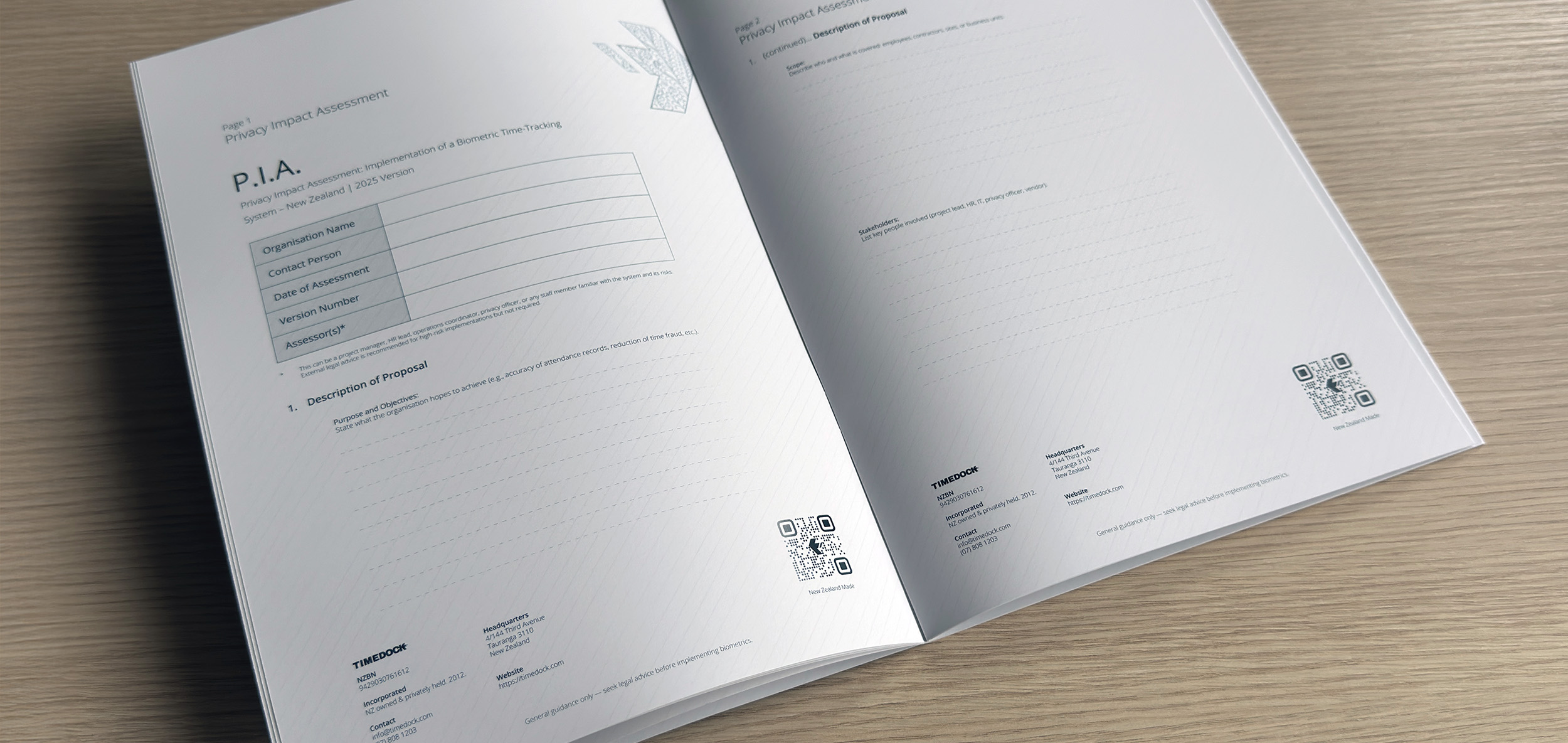
The kit walks through the privacy impact assessment, staff consultation prompts, vendor questions, and evidence you will need for compliance reviews.
What is the Biometric Processing Privacy Code 2025?
The Biometric Processing Privacy Code 2025 is a legal framework introduced by the Office of the Privacy Commissioner to regulate how biometric data is collected, stored, and used in New Zealand. It applies to technologies such as:
-
Facial recognition scanners.
-
Fingerprint readers.
-
Iris/retina scans.
-
Voice ID and similar biometric identifiers.
The purpose of the Code is to limit unnecessary biometric use in everyday workplace settings and require stronger justification, transparency, and security wherever biometrics are used.
Key Dates and Deadlines
| 3 November 2025 | Any new biometric system must comply immediately. |
| 3 August 2026 | All existing biometric systems must be updated. |
| Trial Option | Organisations may test biometric systems for up to six months (with one possible six-month extension), but these trials do not delay the compliance deadlines. |
Compliance Requirements
-
Conduct a necessity and proportionality assessment to prove biometrics are essential.
-
Provide a non-biometric alternative such as RFID, PIN, or mobile clock-ins.
-
Update privacy notices and consent processes.
-
Strengthen security controls, retention policies, and vendor contracts.
How to Assess Necessity and Proportionality
The Code expects you to show that biometrics are essential, not just convenient. A practical necessity assessment should document:
-
The exact problem you are trying to solve (for example, identity assurance at high-security sites).
-
Why non-biometric options such as PINs, RFID, or mobile clock-ins are not sufficient.
-
Which roles, locations, or shifts genuinely require biometric capture.
-
Expected benefits weighed against privacy risks and workforce impact.
-
How often you will review the decision as risks, technology, or operations change.
If you cannot show a clear need, the safer route is to avoid biometric collection and choose a non-biometric time tracking system.
What a Privacy Impact Assessment Should Cover
A strong assessment maps how biometric data flows through your time tracking system and how you will protect it end-to-end:
-
What is collected (template vs raw image), when, and where it is stored.
-
Data hosting location, access controls, and encryption in transit and at rest.
-
Retention and deletion rules, including what happens on employee exit.
-
Privacy notices, consent approach, and a non-biometric alternative with no penalties.
-
Vendor responsibilities, audit rights, and breach response timelines.
-
How staff can access, correct, or challenge their data.
Honouring the Code in Day-to-Day Operations
Compliance does not end at procurement. Operational practices should reinforce the commitments you make in the assessment:
-
Provide a non-biometric option at all times and make it easy to use.
-
Train managers and staff on when biometrics are used and how to opt out.
-
Limit access to biometric data and review access logs regularly.
-
Keep retention and deletion processes active, not just written down.
-
Reassess the system whenever your vendor, hardware, or workflow changes.
If You Must Choose a Biometric Platform
Ask for evidence that the platform can meet the Code and your assessment outcomes:
-
Supports non-biometric alternatives and allows opt-out per employee.
-
Clear data ownership terms, storage locations, and export or deletion controls.
-
Strong security controls, audit logging, and independent security documentation.
-
Defined retention defaults with no silent data reuse for new purposes.
-
Trial plan that fits within the six-month limit and does not delay compliance.
If a vendor cannot meet these expectations, it is a sign to step back. TimeDock offers non-biometric time tracking that avoids biometric data entirely.
Why Biometric Time Clocks Will Struggle
-
Most workplaces cannot prove biometrics are strictly necessary.
-
Alternatives like mobile apps and RFID cards achieve the same results.
-
Vendors may be forced to run dual systems → higher costs, complex onboarding.
-
Only very high-security environments can justify biometric-only solutions.
Biometric Alternatives
Non-biometric time tracking systems provide:
-
Simpler compliance.
-
Lower operating costs.
-
Higher employee trust.
Next Steps for Employers
-
Audit your time tracking systems.
-
If using biometrics, complete a necessity assessment.
-
Provide a non-biometric option by law.
-
Review vendor contracts and data security.
-
Consider switching to a non-biometric provider like TimeDock.
Summary
The Code is a turning point. Biometric systems will struggle to justify themselves under New Zealand law. Most employers will either pay more to maintain dual systems or switch to a compliant, privacy-friendly alternative like TimeDock.
Further Reading
For more detail on the Biometric Processing Privacy Code 2025, see: